Ultimate Sequence Guide
⚠️ Legacy: As of July 2026, Tradingale no longer places orders. Exchange API connections are reserved for internal operations. This guide describes a former version of the product and is kept for reference only.
Preparation Phase
Before starting a Martingale sequence, make sure everything is ready for a clean execution:
1. Clear Target Token Holdings
Move any existing holdings of the target token to another wallet to avoid interference with the sequence.
2. Cancel Open Orders
Remove all pending orders for that token before starting a new sequence.
Sequence Execution – Using the Manual Calculator Tool
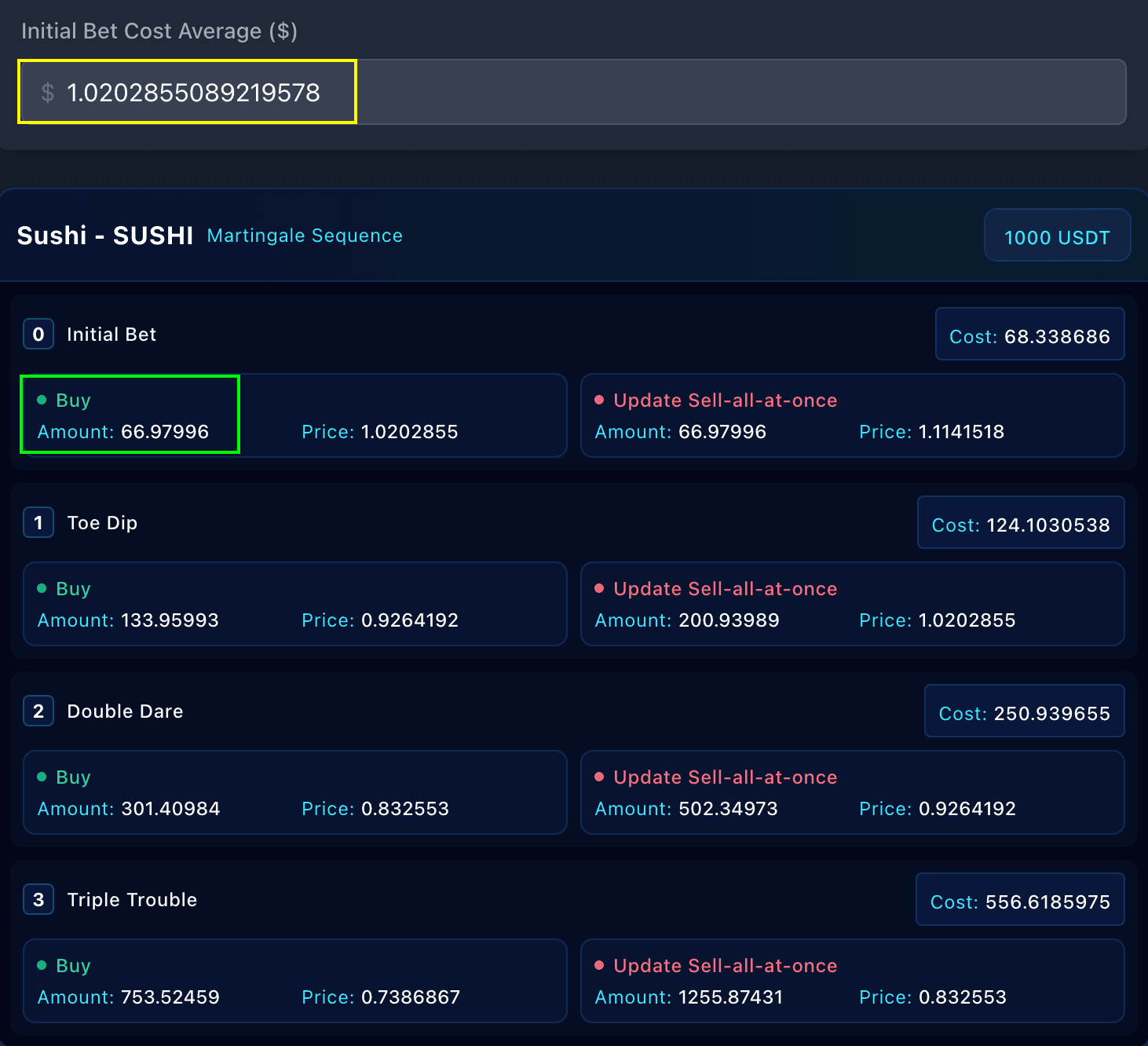
Step 1: Capital Allocation
Decide how much capital you want to dedicate to this sequence.
For example, 1000 USDC.
Step 2: Initial Position (Market Order)
The sequence opens with a first market buy order on your exchange for the initial bet.
Then enter the average entry price from that order in the “Custom Entry Price” tab.
This defines your entry price for the sequence.
Step 3: Review and Save the Sequence
Once the entry price is set, the calculator automatically updates all rounds, prices, and quantities.
Review the table, confirm the values, and click “Save Manual Sequence” to store it for tracking.
Step 4: Limit Orders
The limit buy orders on your exchange follow the prices and quantities shown in the sequence table.
These orders will trigger as the market moves and the sequence progresses.
Step 5: Monitor Progress
View your sequence through your dashboard.
After each buy, update your Sell-All-at-Once order to reflect your new average price.
Step 6: Complete the Sequence
When your Sell-All-at-Once order executes, the sequence is completed.
Any remaining orders can be cancelled before a new sequence begins.
⚠️ Disclaimer: This guide is for informational and technical purposes only. It does not constitute financial advice or a recommendation to trade. Users are solely responsible for their trading actions and risk management, as outlined in our Terms of Service.